 Meds Taken
Did I take my meds today?
Like a pill organizer, but it remembers for you.
Set up your medicine times once. Each one gets a big button to tap when you take it, with a reminder or an alarm if you forget. Use it for yourself, your family, or someone you care for.
Coming soon to the App Store for iPhone.
How it works
Four things, and you’re set.
-
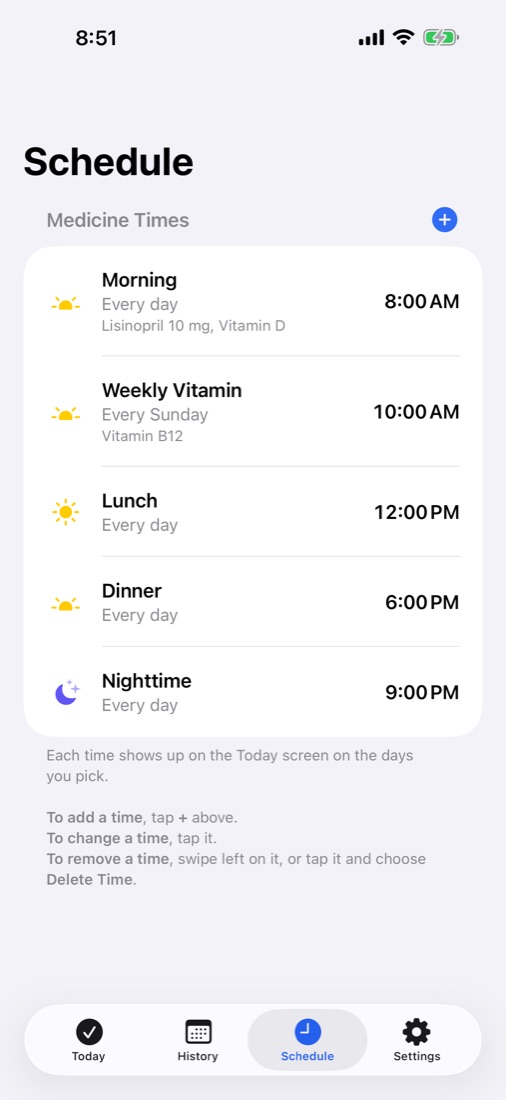
Set up your medicine times
Start with Morning, Lunch, Dinner or Nighttime, or add your own, like Bedtime or a weekly vitamin. Choose the days each one repeats and add a note of what to take.
-
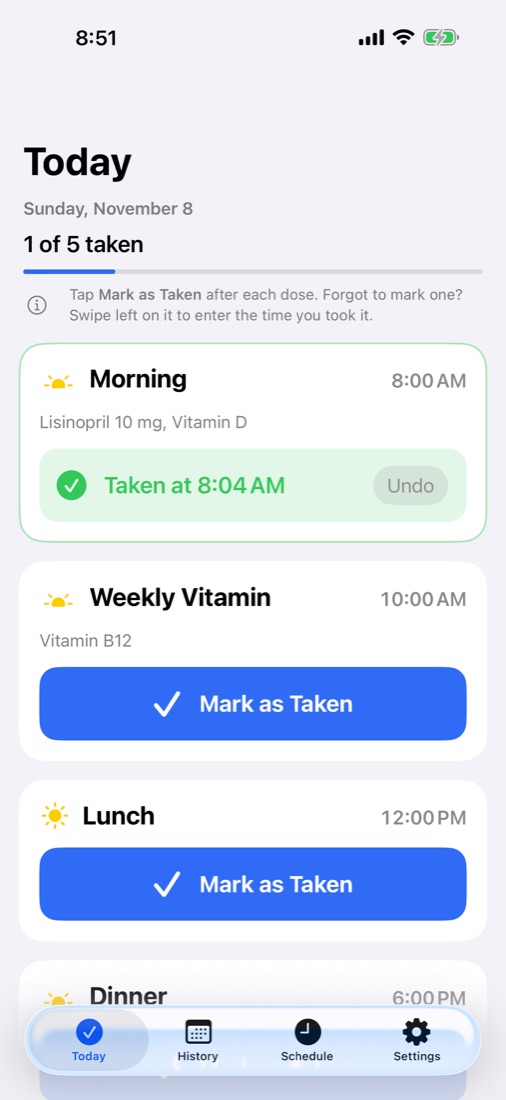
Tap the button when you take each one
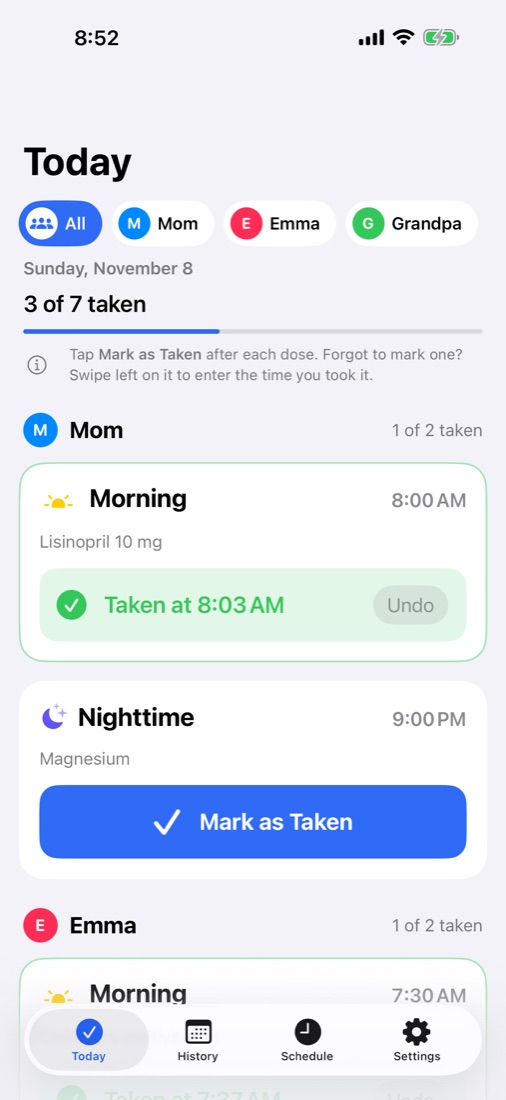
Today shows each of your medicine times with a big Mark as Taken button. Tap it and the card turns green with the time you took it.
Forgot to tap? Swipe left on it to enter when you took it. Everything starts fresh at midnight, and History keeps the last seven days.
-
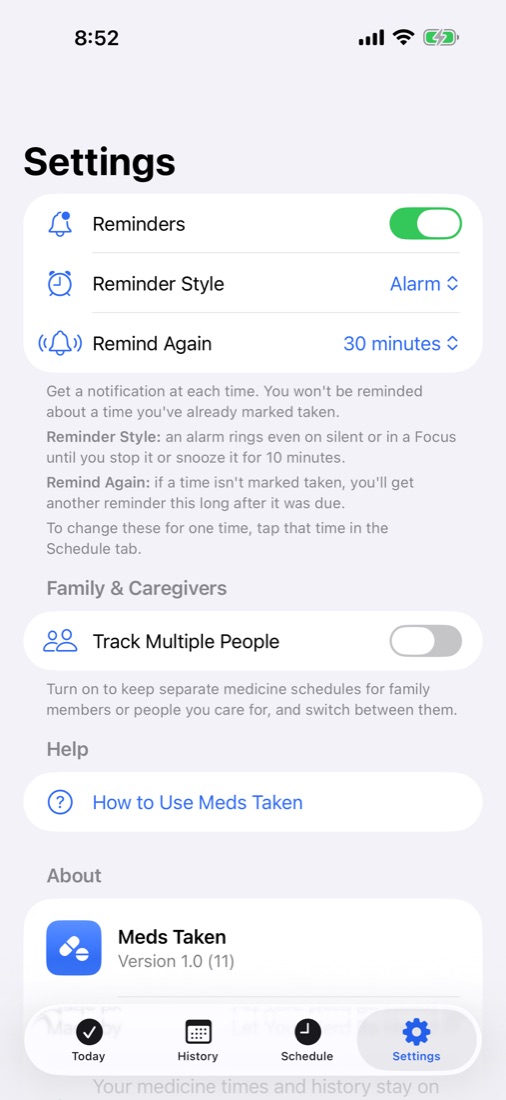
Get reminded your way
Turn on reminders and choose how your medicine times get your attention:
-
A notification
At each medicine time. It comes through Focus modes like Do Not Disturb.
-
Remind Again
A second reminder if it still isn’t marked taken, from 15 minutes to 2 hours later.
-
An alarm
Rings even on silent until you stop it, with a 10-minute Snooze. Alarms need iOS 26.
Set a default for everything, then change it for any single time.
-
-
Track your whole family
Looking after kids, a parent or someone in your care? Turn on Track Multiple People to give each person their own medicine times, history and reminders.
The All view shows everyone’s doses for today in one list. If you only track yourself, the app stays simple.
Your medicine list stays on your iPhone
There’s no account, no sign-up and no server. Meds Taken doesn’t collect or share anything you enter.
Read the privacy policy